Made in Australia · built for fortnightly pay

Own your money.
Split it on payday.

Fortn divides your pay into boxes the moment it lands — rent, groceries, the trip — using a five-part method that fits on one screen.

Free to start. No bank connection, no ads, no card required — your numbers stay on your phone.

Why type it in? Bank feeds are the part that works worst in Australia — and the part you pay for everywhere else. Typing a spend takes five seconds, and those five seconds are the moment you notice it.
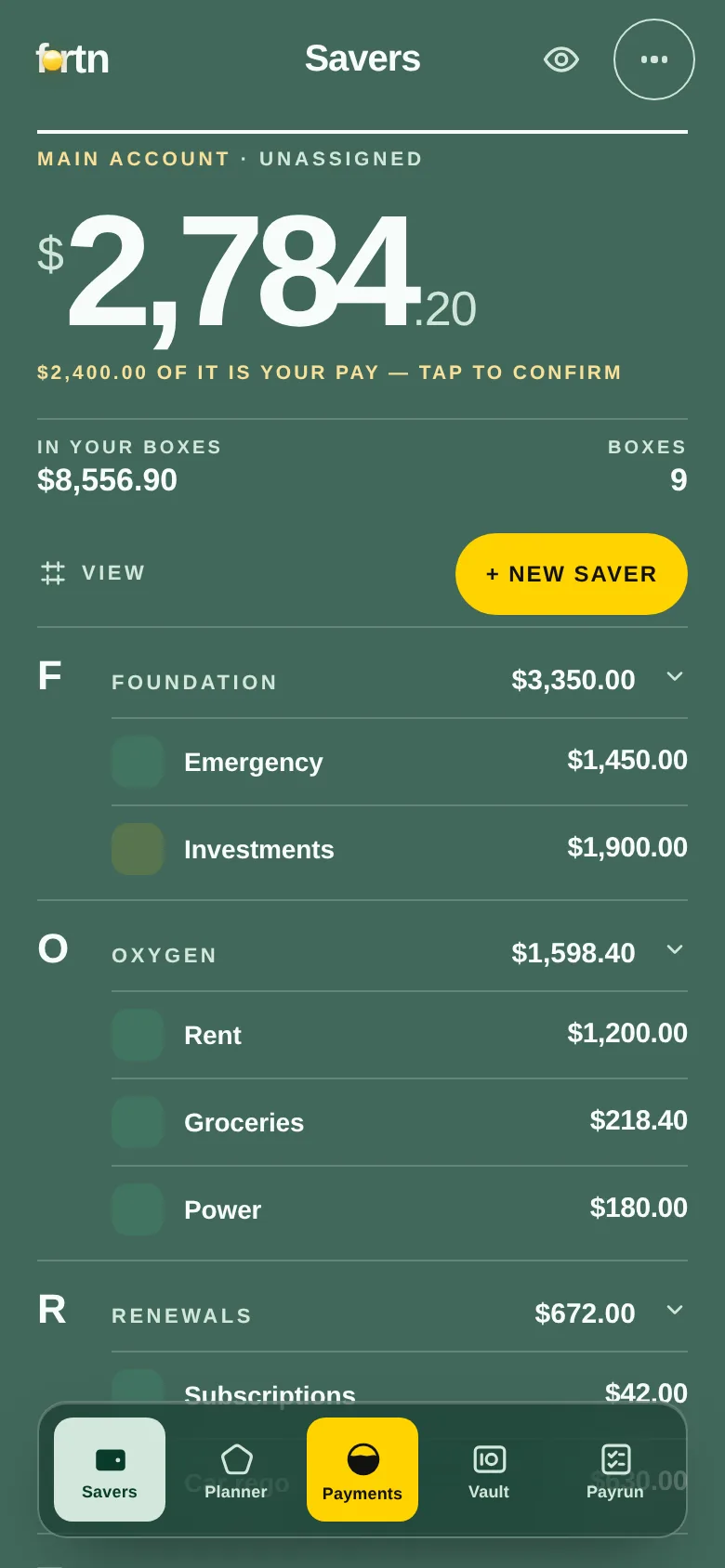
The Fortn app showing real balances: $2,784.20 loose in the main account and $8,556.90 across Foundation, Oxygen and Renewals, box by box.
No bank login, ever Works offline Built in AUD, for the fortnight No card to start
Why Fortn is different

Every other app tells you where the money went. Fortn decides where it goes.

Trackers are archaeology — they categorise a receipt after the damage. A planner does the one thing that actually changes an outcome: it assigns the money before you touch it.

Split, don't track

Divide your pay into boxes before you spend it. Every box holds a real balance you can check, not a category you review at the end of the month.

Built for payday

Most of Australia is paid fortnightly, and most budgeting apps are built around a calendar month. Fortn runs on your pay cycle — weekly, fortnightly or monthly — and does the frequency maths for you.

No bank connection

You never hand over a banking login. Nothing to revoke, nothing to breach, no feed to break. Your numbers live on your phone and sync only if you ask them to.

The method

Five letters. In this order, always.

FORTN is the whole system, and the order is the lesson: the ground gets covered before the fun does. Each letter has a share of your pay you can change — these are the starting points.

I must

Foundation

The base everything else stands on — emergency money and the future you're quietly funding.

10%
I need

Oxygen

Cover the ground first. Rent, food, power — the bills that don't negotiate.

60%
I can

Renewals

Keep your life running. Subscriptions, rego, insurance — the annual ambushes, paid in instalments to yourself.

5%
I want

Treats

Guilt-free, and budgeted. Money you are supposed to enjoy, with no receipt to justify.

10%
I wish

Nest

Build toward someday. The trip, the deposit, the thing you'd never get to otherwise.

15%
Payday in three moves

Money in, money assigned, money calm.

The loop takes about a minute, on the day the money lands. Everything below is the real app — not a rendering.

1Plan it once

Set the shares

Tell Fortn what each box needs per pay. It shows your plan against the method's shares, so you can see the moment Oxygen is eating the whole cheque.

2Run the payrun

Fill every box

On payday, enter what actually landed and tick the boxes off. Pay came in two parts, or short? It handles that — you can pause and come back.

3Spend from a box

Know what's left

Log a spend against the box it came from. The balance is real money, derived from a ledger — not a plan pretending to be a balance.

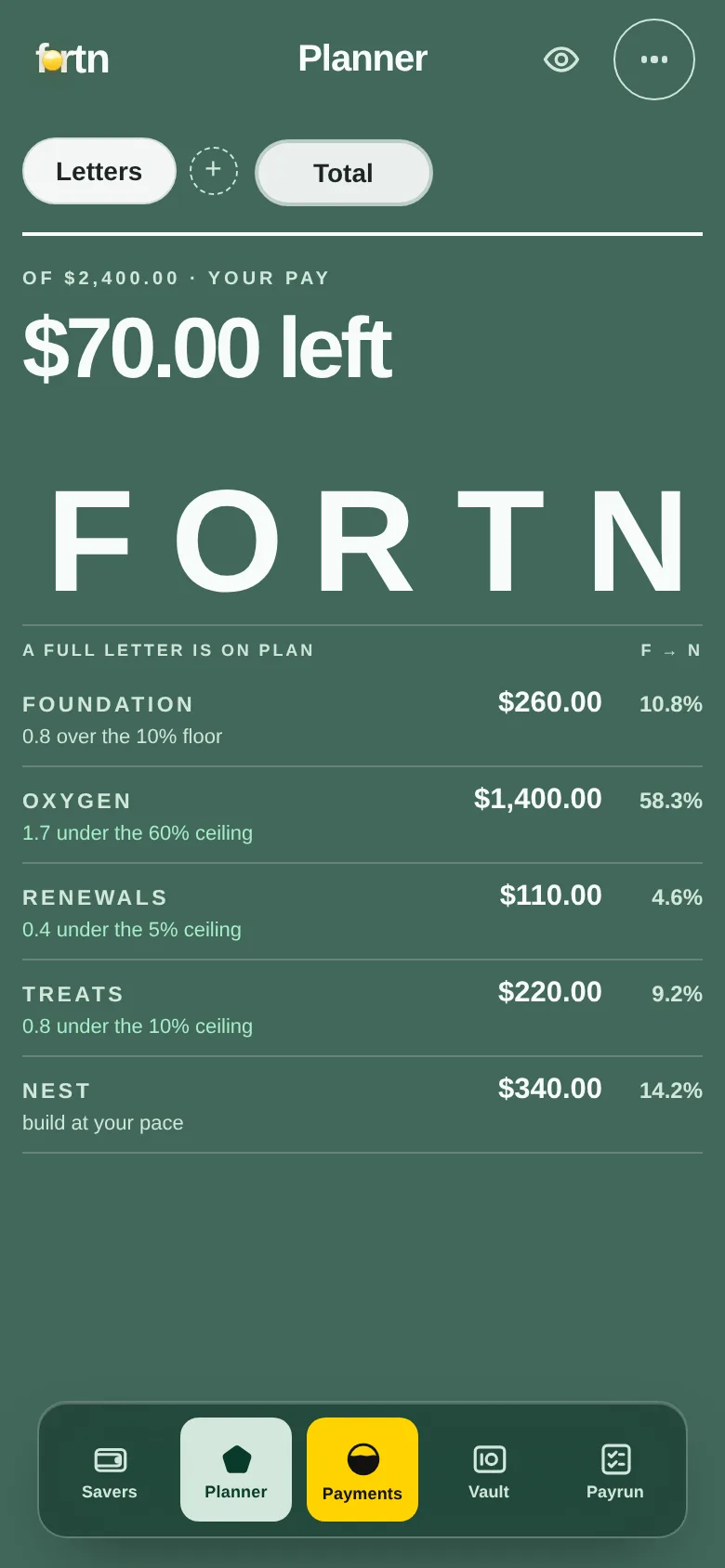
The Planner screen: each letter's share of pay against the method's rule, all five within range.

Planner — your plan against the rule

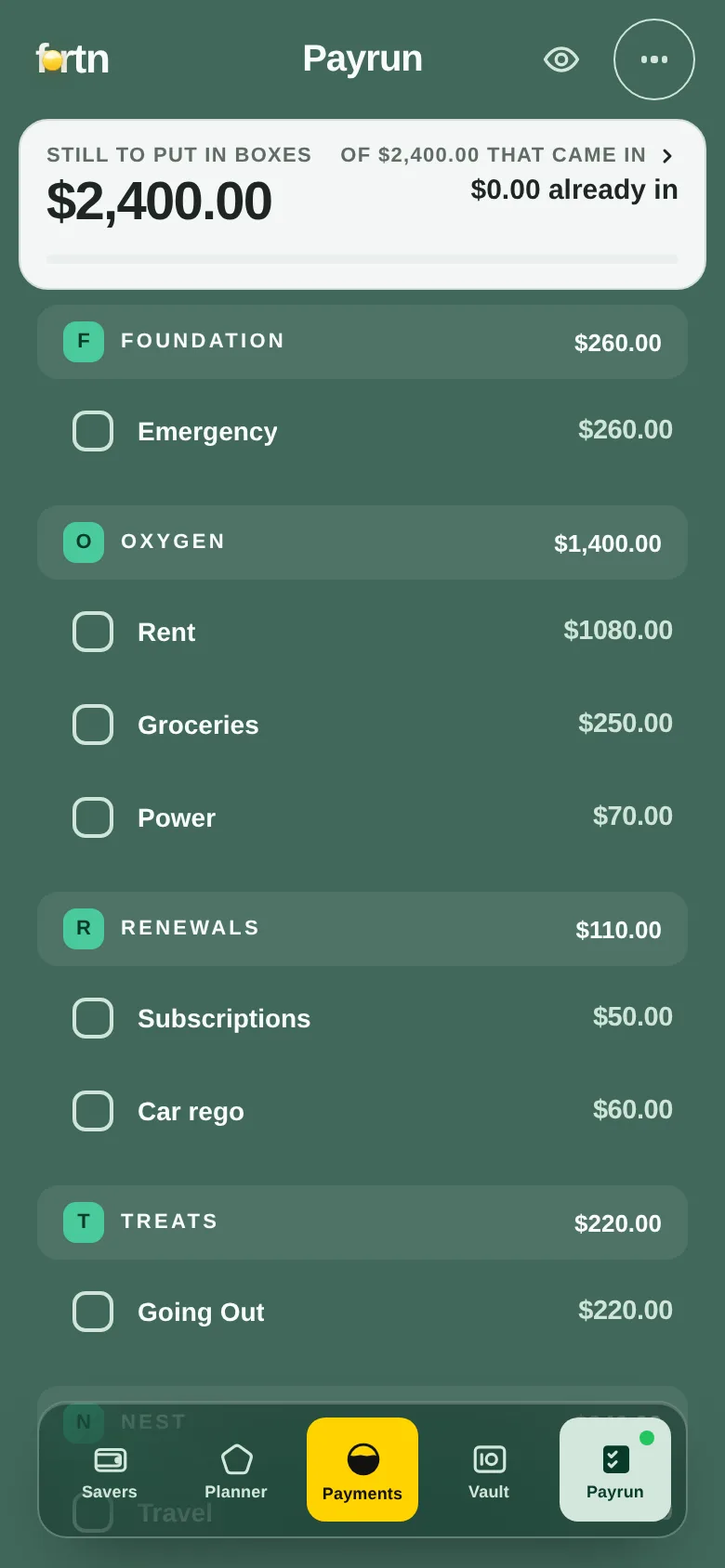
The Payrun screen: $2,400.00 still to put in boxes, with each box listed under its letter waiting to be ticked.

Payrun — the payday ritual

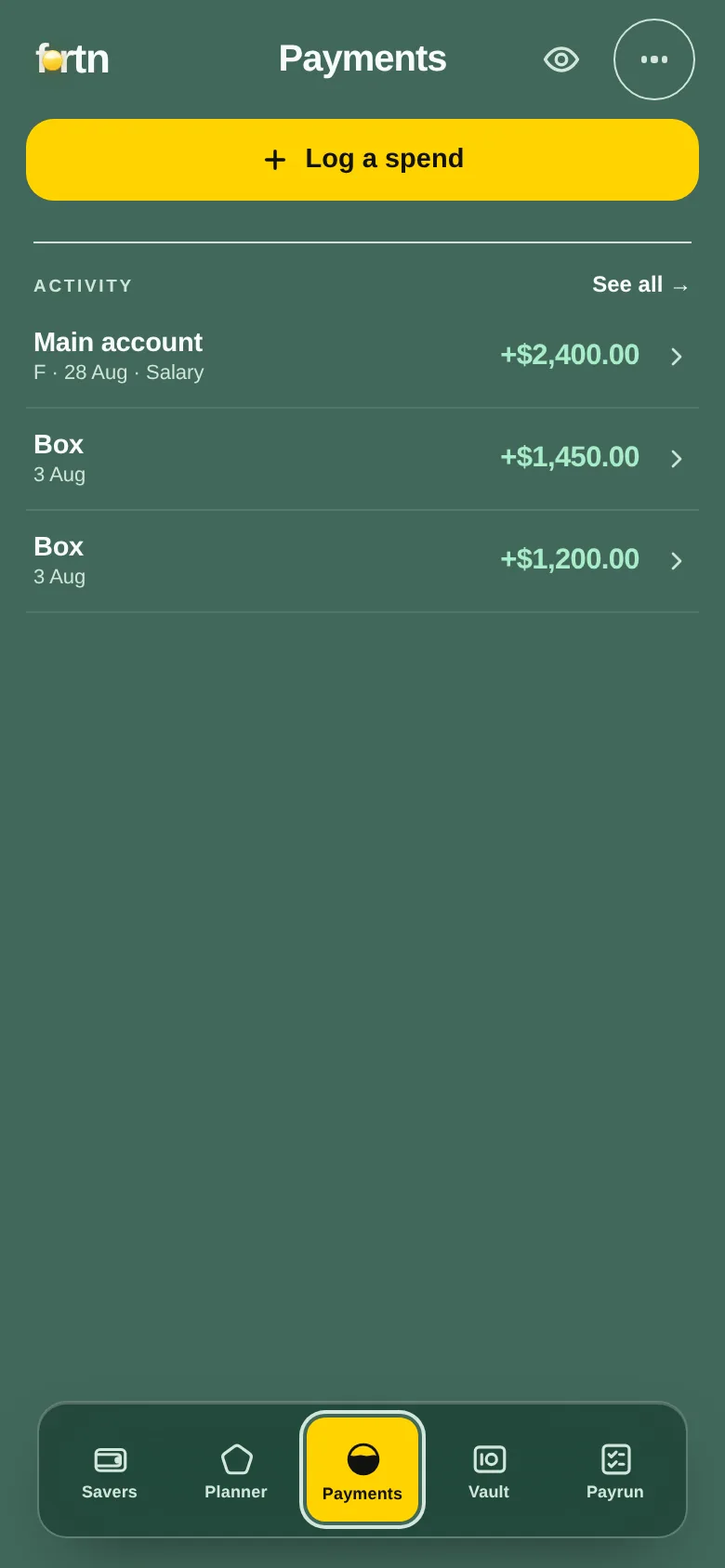
The Payments screen: balances per letter and an in-app keypad for logging a spend.

Payments — spending, from a box

The part nobody else does

Every app lets you move money. Only Fortn remembers you promised to put it back.

Groceries runs dry, so you cover it from Travel. In every other budgeting app that's a transfer, and the trip quietly gets smaller forever. In Fortn it's a loan between your own boxes — recorded, denominated in the box it came from, and paid back on a rhythm you set. Your holiday fund knows it's owed.

Groceries owes Travel
$120.00 · paying back $30 a fortnight
Money saved for Travel
isn't spendable on a night out — each box holds its own currency
Settled at the next payrun
so a favour between boxes never becomes a habit
Being honest about the trade

Typing it in is the feature, not the compromise.

Automatic bank feeds are genuinely great — in the countries where they work. In Australia the big budgeting apps either don't support local bank feeds at all or route you through a paid third-party bridge, so "automatic" quietly becomes a second subscription and a broken sync. Fortn skips the whole class of problem: you enter what landed, once a fortnight, and nothing can break it.

It can't break

No feed to go stale, no re-authentication every 90 days, no bank changing an API and taking your budget down with it.

It can't leak

There is no banking credential to hand over, so there is nothing to breach. The strongest security posture is not having the data.

It makes you look

Thirty seconds of typing on payday is the moment you actually see your money. Automation is efficient at helping you not look.

See how Fortn compares to YNAB, Monarch & Copilot →

Get Fortn

One link. The right install for your phone.

Fortn is a web app that installs to your home screen and runs offline — so there's nothing to wait on and nothing to update.

Detecting your device…
iPhone & iPad

Open it, then tap Share → Add to Home Screen. It opens like a native app, no App Store needed.

Open & add to Home Screen
Android

Install straight from your browser in a couple of taps. A Google Play listing is on the way.

Get the app
Desktop

Prefer a big screen for the first setup? Open the web app — it works anywhere your browser does.

Open the web app
Questions

The things people ask first.

Do I have to connect my bank?

No — and you can't, by design. Fortn never asks for a banking login. You enter what landed on payday and log spends as you go. It's about thirty seconds a fortnight for the payrun.

Is it really free?

Yes. The whole method, the payrun, the boxes, the real balances and your first internal loan are free, with no card and no trial clock. A paid PRO tier is coming for long history and household depth — details on the pricing page.

What if I'm not paid fortnightly?

Weekly, fortnightly and monthly all work, and each income carries its own frequency. Fortn converts between them so you never compare a weekly number to a monthly one by accident.

Where does my data live?

On your device by default. You can create an account to sync across phones, and you can use the app fully offline without one.

Is Fortn financial advice?

No. It's a budgeting tool that shows you your own numbers and never recommends a product, a fund or an investment.